

Open a chat
You’ll find your chats in the sidebar on the left, the most recent at the top. Click a chat to open it and carry on where you left off. Can’t see an older chat? Click Show more at the bottom.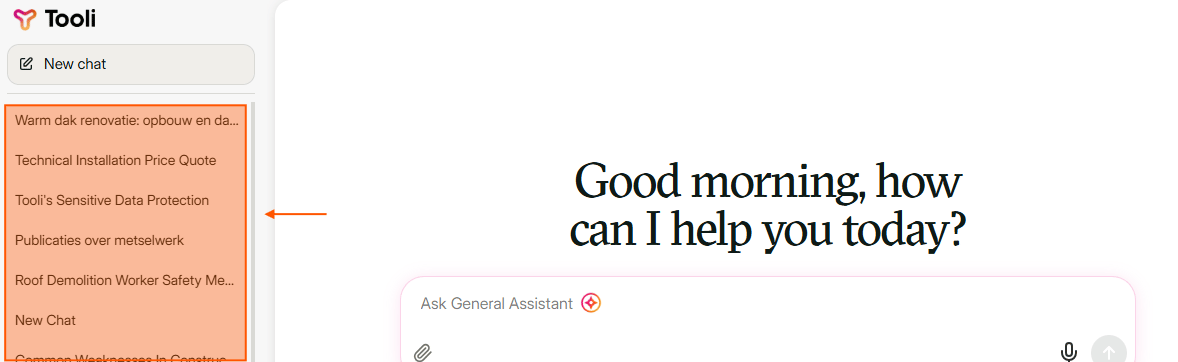
Your chats are in the sidebar on the left, the most recent at the top.
Rename or delete a chat
Hover over a chat and click the three dots (···). You then see the date of the chat and these options:- Rename: give the chat a name you can find easily, for example the name of the site.
- Delete: the chat disappears from your list.
- Share: see Share a chat.
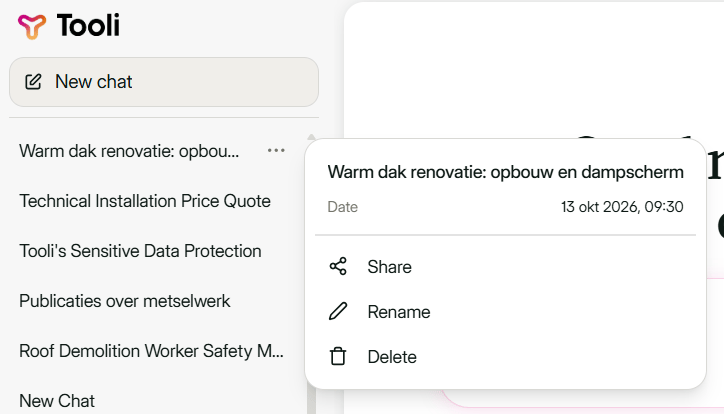
Via the three dots you choose Share, Rename or Delete.